---
title: "Online Code Hosting and Central Search Integration"
slug: "online-code-hosting-and-central-search-integration"
description: "Integrate your online code with municipal websites for seamless search results. Learn how to enable this feature for efficient code and website navigation."
updated: 2026-06-06T18:28:52Z
published: 2026-06-06T18:28:52Z
canonical: "www.civicplus.help/online-code-hosting-and-central-search-integration"
---
> ## Documentation Index
> Fetch the complete documentation index at: https://www.civicplus.help/llms.txt
> Use this file to discover all available pages before exploring further.
# Online Code Hosting and Central Search Integration
The **Online Code Hosting to Municipal Websites Central Search Results Integration** adds hyperlinks to the search results pages of your online code and municipal website. These hyperlinks allow you to search your online code from your municipal website and to search your website from the code library. This article will show you how to use the Online Code Hosting to Municipal Websites Central Search Results Integration.
> [!NOTE]
> Important Note
>
> - You must use Online Code Hosting and have a Municipal Websites Central site to use this integration. If you are interested in using Municipal Websites Central, [contact your Customer Success Manager (CSM)](https://www.civicplus.com/customer-success-manager/) to get started.
> - If you were a Municipal Websites Central and Online Code Hosting customer on or before May 25, 2022, this integration has already been activated for you. All other customers should contact Support to have this integration enabled and configured.
## Search Your Municipal Websites Central Site from the Code Library
[Embedded content](https://www.iorad.com/player/2163115/Codification--Search-Your-Municipal-Websites-Central-Site-from-the-Code-Library-Tutorial?iframeHash=trysteps-1&lang=en&src=iframe)
1. [Navigate to your online code](/codification/docs/basic-site-navigation):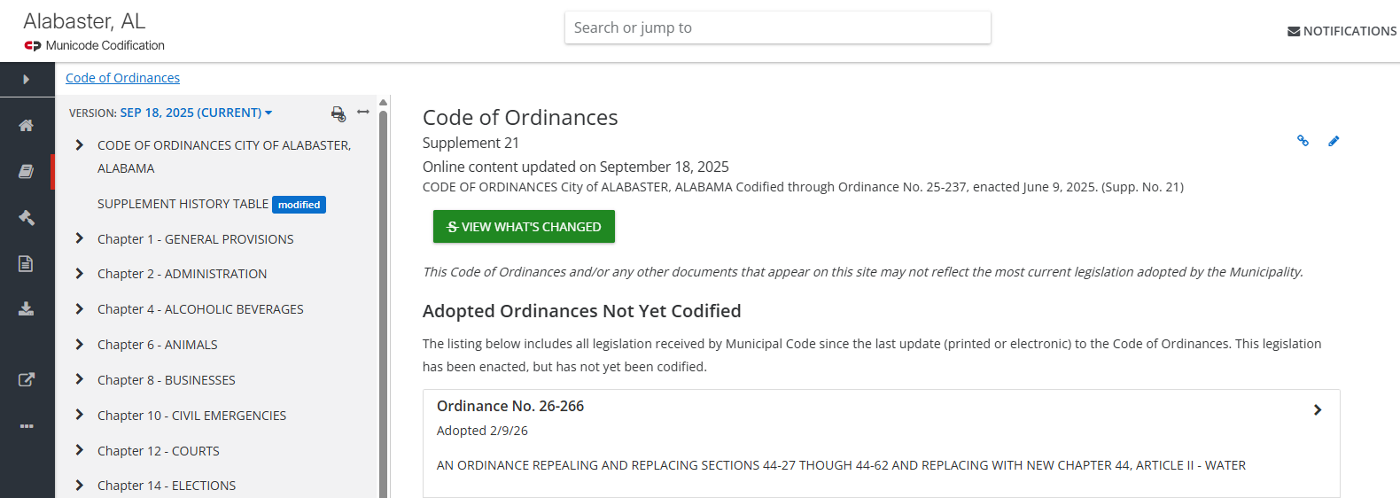
2. Enter the desired **search term or terms** into the Search or jump to box and press Enter on your keyboard:
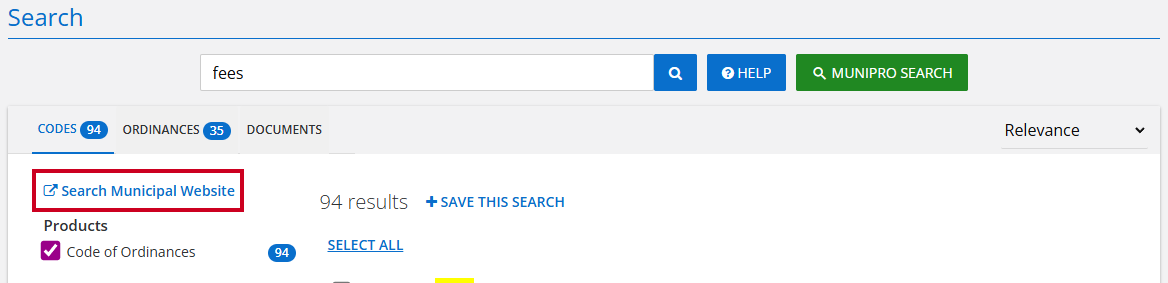
3. Click **Search Municipal Website**:
4. View the **search results** pulled from your website based on your code library search: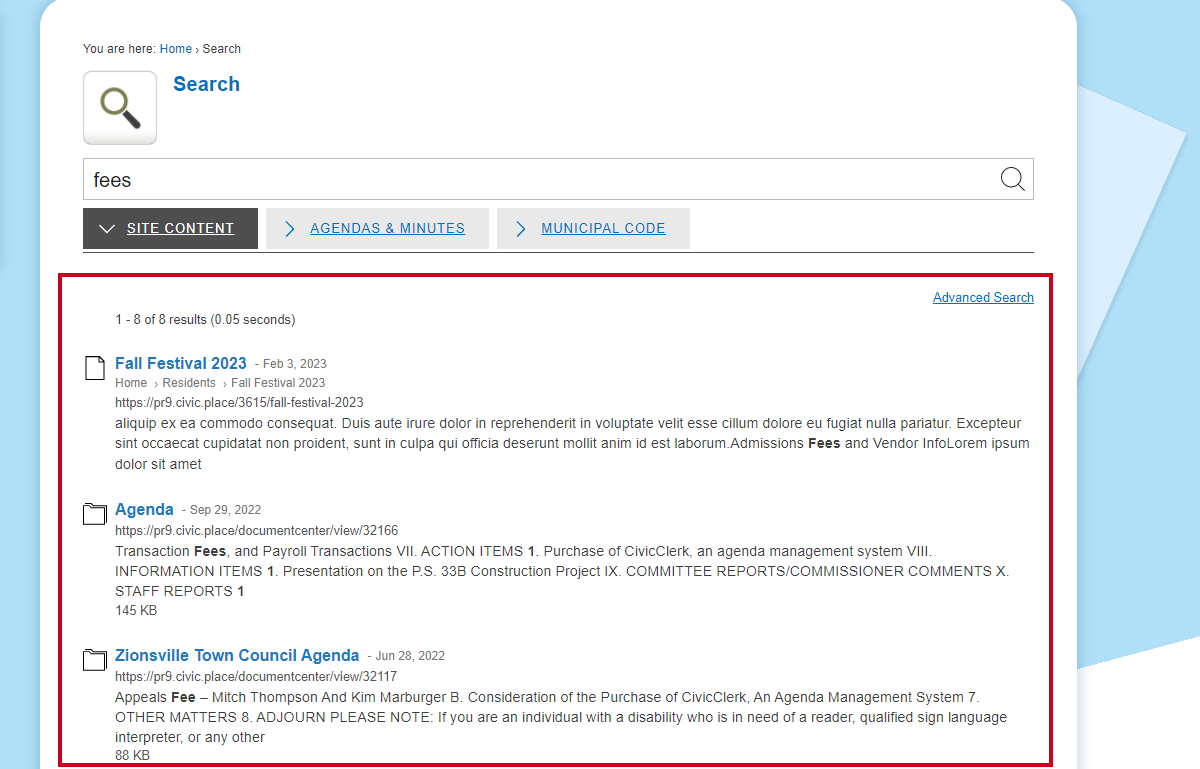
---
## Search Your Online Code from Your Municipal Websites Central Site
[Embedded content](https://www.iorad.com/player/2164147/Codification--Search-Your-Online-Code-from-Your-Municipal-Websites-Central-Site-Tutorial?iframeHash=trysteps-1&lang=en&src=iframe)
1. Navigate to your **municipal website**
2. Enter the desired **search term or terms** into the Search box and press Enter on your keyboard:
3. Click the **Municipal Code tab**: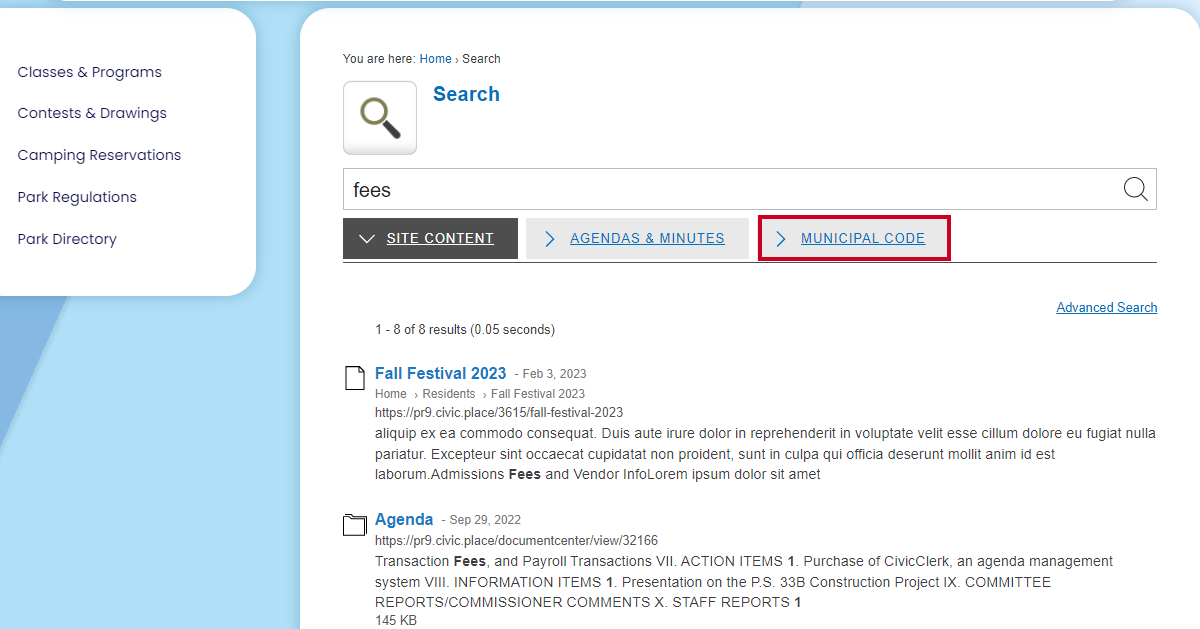
4. View the **search results** pulled from your online code based on your website search: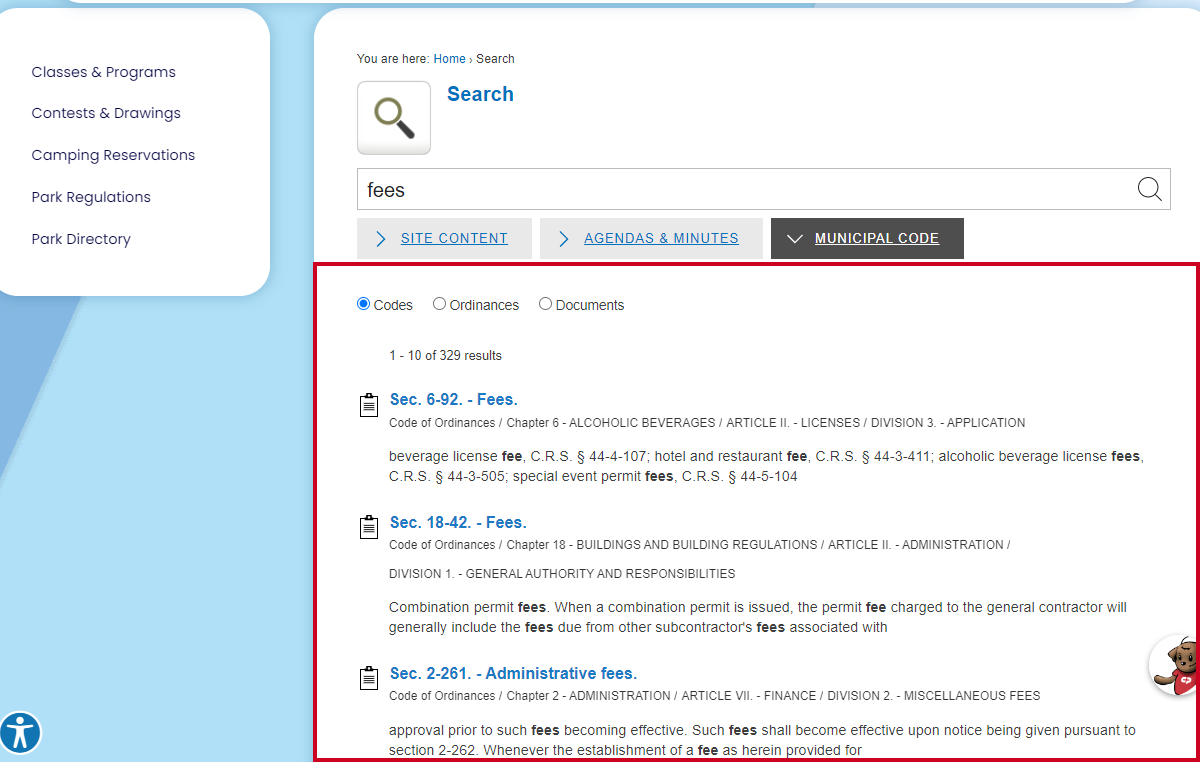
## Related
- [Search a Code](/search-a-code.md)
- [Basic Site Navigation](/basic-site-navigation.md)