---
title: "Share a Link to Part of a Code of Ordinances"
slug: "share-a-link-to-part-of-a-code-of-ordinances"
description: "Learn how to share a link to part of an online code of ordinances in Online Code Hosting."
updated: 2026-07-07T17:35:03Z
published: 2026-07-07T17:35:03Z
canonical: "www.civicplus.help/share-a-link-to-part-of-a-code-of-ordinances"
---
> ## Documentation Index
> Fetch the complete documentation index at: https://www.civicplus.help/llms.txt
> Use this file to discover all available pages before exploring further.
# Share a Link to Part of a Code of Ordinances
You can share a direct link to a specific section of your online Code of Ordinances. This is useful when responding to questions from staff or the public, referencing an ordinance in an email or document, or directing users to the exact section of code that applies.
This article explains how to copy and share a link to a specific section of an online code.
## Instructions
[Embedded content](https://www.iorad.com/player/2003595/Codification--Share-a-Link-to-Part-of-a-Code-of-Ordinances-Tutorial?iframeHash=trysteps-1&lang=en&src=iframe)
1. [Navigate to the desired code](/codification/docs/basic-site-navigation#find-a-code-or-set-of-documents)
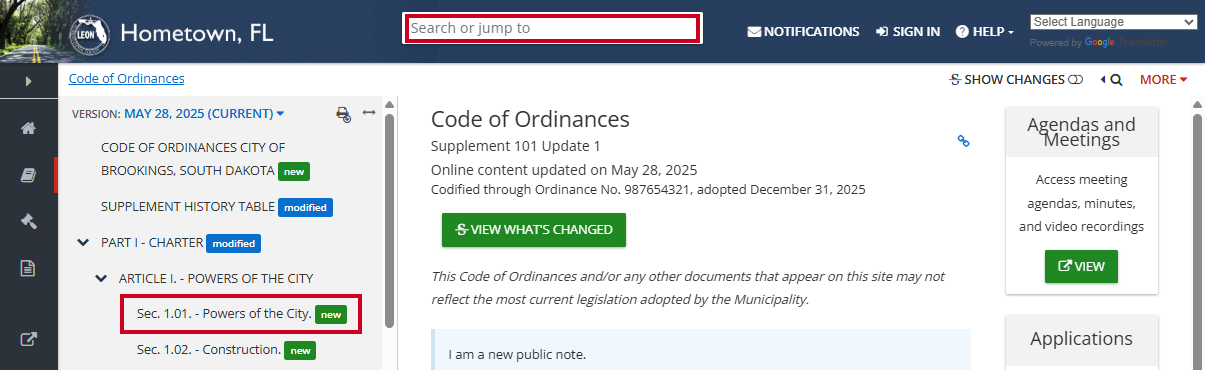
2. Locate the portion of code to be linked using the **Search or jump to Box** or the **Table of Contents**:
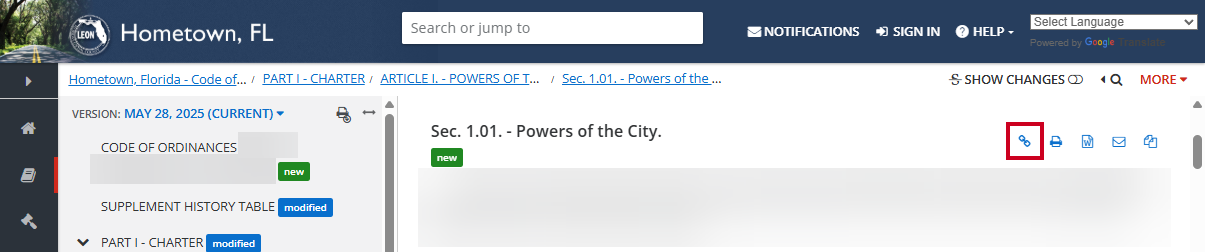
3. Select the **Share Link button** (blue chain link icon) in the icon tray above the section of code to be linked:
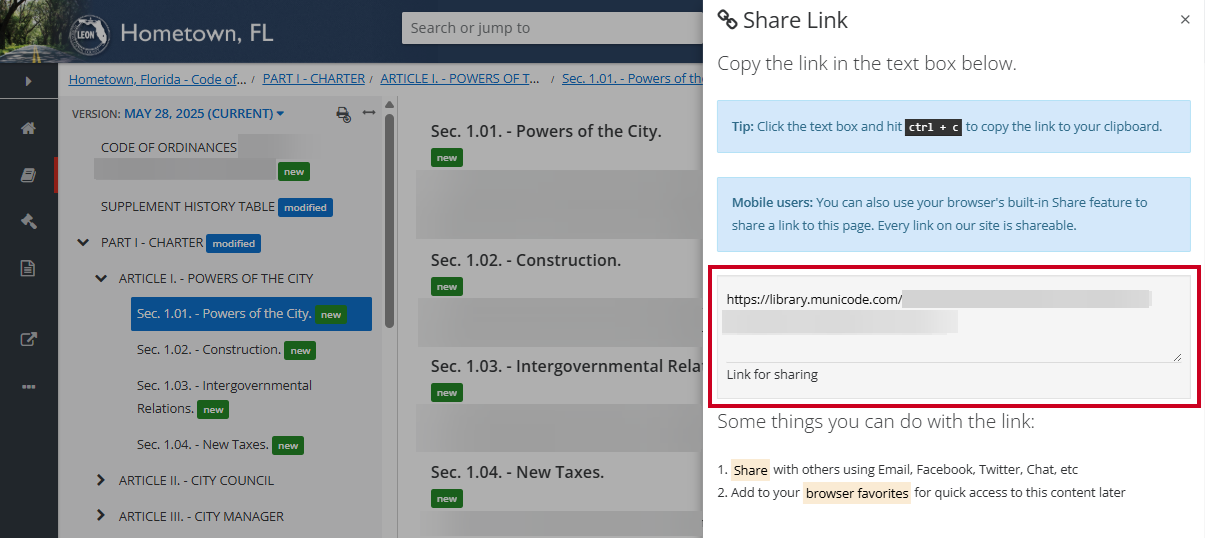
4. Copy the **Link** **URL** in the **Link for sharing box**:
> [!WARNING]
> Note:
>
> You can click into the “Link for sharing” text box and hit CTRL + C on your keyboard to easily copy the link to your clipboard.
5. The link has been copied to your device’s clipboard and can be pasted as desired
Uniform Resource Locator