---
title: "Add Miscellaneous Tags"
slug: "add-miscellaneous-tags"
description: "Learn how to add metadata, scripts, or custom styles to your page using the Miscellaneous Tags field. "
updated: 2025-08-12T19:55:40Z
published: 2025-08-12T19:55:40Z
canonical: "www.civicplus.help/add-miscellaneous-tags"
stale: true
---
> ## Documentation Index
> Fetch the complete documentation index at: https://www.civicplus.help/llms.txt
> Use this file to discover all available pages before exploring further.
# Add Miscellaneous Tags
> [!NOTE]
> Important Notes
>
> - Page tags are entered in **HTML format**, whereas keywords is simple text content
> - Examples of useful/common tags include:
> -
> -
> -
The **Miscellaneous Tags** field allows you to add metadata, scripts, or additional CSS styles to a page's Head section. Information in this field must conform to HTML standards. Miscellaneous Tags can help with search by telling SEO engines what the exact content of the pages is. Keywords help group together types of articles by important phrases.
Information added to this field can potentially cause page errors, including being unable to access editing functions. If you are unsure, please [contact Support](/municipal-websites-evolve/docs/contact-support).
> [!TIP]
> Who can use this feature?
>
> System Administrators | Owners | Publishers | Authors
## Instructions
[Embedded content](https://www.iorad.com/player/1577106/Engage-6--How-to-Add-Miscellaneous-Tags-Practice-Tutorial)
1. Navigate to the desired page
2. Select the **Versions** tab at the top of the page 
3. Click **Actions** next to the version you want to add page tags to 
4. Select **Options**
5. Add **Miscellaneous Tags** 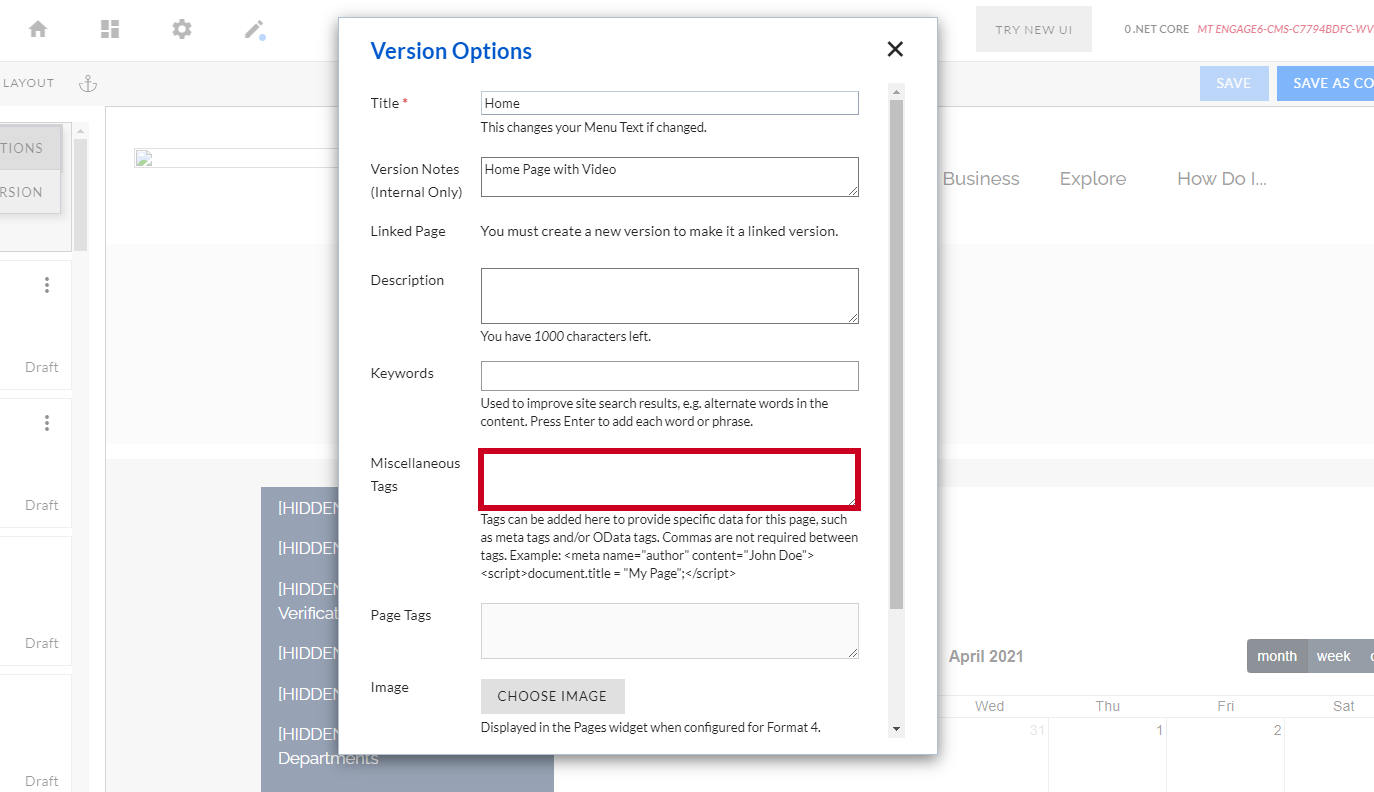
> [!WARNING]
> Note:
>
> Tags can be added here to provide specific data for this page, such as meta tags and/or OData tags. Commas are not required between tags.
>
> - **Example**:
6. Click **Save Changes**
Cascading Syle Sheet.
Hypertext Markup Language. The language used to define the content of the site in a structurally meaningful manner.
Search Engine Optimization.