---
title: "Enable or Disable Custom HTML"
slug: "enable-or-disable-custom-html"
description: "Enable direct HTML editing by disabling the Custom widget, giving full control over custom code implementation."
updated: 2025-08-12T19:21:23Z
published: 2025-08-12T19:21:23Z
canonical: "www.civicplus.help/enable-or-disable-custom-html"
stale: true
---
> ## Documentation Index
> Fetch the complete documentation index at: https://www.civicplus.help/llms.txt
> Use this file to discover all available pages before exploring further.
# Enable or Disable Custom HTML
Disabling the Custom HTML widget exposes the code field when [modifying a Custom HTML widget](/municipal-websites-evolve/docs/add-modify-the-custom-html-widget-on-your-page#Modify).
## Instructions
[Embedded content](https://www.iorad.com/player/2556442/Web-Evolve--Enable-or-Disable-Custom-HTML-Tutorial)
1. [Sign in to your site](/municipal-websites-evolve/docs/sign-in-to-your-site)
2. Navigate to **Site Tools** and select **Disable** / **Enable Custom HTML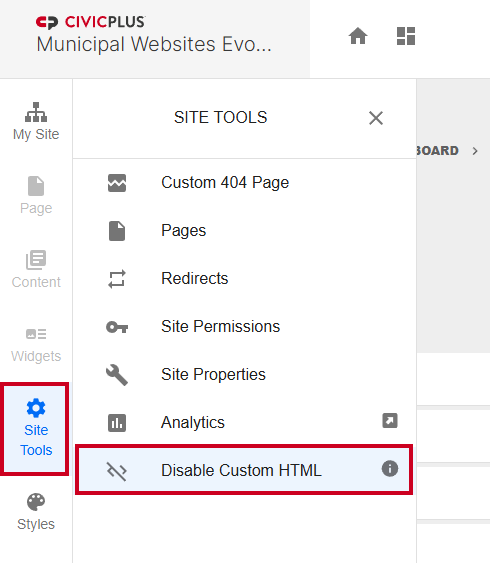**
3. The page will refresh automatically
Hypertext Markup Language. The language used to define the content of the site in a structurally meaningful manner.